Why You Can't Ignore Test Planning in Agile (and How to Do It Lightly)
Last updated: October 2026
Quick answer
Agile teams still need test planning, but the plan is short, shared and updated every sprint rather than a long document written once. A lightweight agile test plan answers a few questions: what are we testing and why, what is the risk, which tests are automated and which are manual, who does what, in which environments, and what does “done” mean. Without it, team members make different assumptions about scope and priority, and defects surface late.
Why agile teams skip test planning, and why that hurts
Agile values working software and responding to change over exhaustive documentation. Many teams read that as “no test plan.” The Agile Manifesto does not say documentation has no value; it says the items on the left of its statements are valued more. A planning habit is not the same as a heavy document.
Typical symptoms of having no test plan:
- People disagree about what “done” means, so stories are closed with untested edge cases.
- Testing is squeezed into the last days of the sprint.
- Regression coverage depends on who remembers what.
- Risk is not discussed, so low-value features get as much testing as critical ones.
- Environments, test data and accounts are not ready when testing starts.
Waterfall test plan versus agile test plan
| Aspect | Traditional test plan | Agile test plan |
|---|---|---|
| Length | Long, formal document | One to two pages, or a wiki page or board |
| When written | Once, before testing | At release start, refined each sprint |
| Owner | QA lead | Whole team, led by QA |
| Change | Formal change control | Updated whenever scope or risk changes |
| Focus | Phases and deliverables | Risks, coverage, automation and feedback speed |
What goes in an agile test plan
1. Scope and goals
What the release or sprint delivers, what is in and out of test scope, and the quality goals (for example “no critical defects in checkout”).
2. Risks and priorities
List the riskiest features, changes and integrations. Spend the most testing effort where failure would hurt the most.
3. Test approach by level
Say which checks belong at which level. A common guide is the test pyramid: many fast unit tests, fewer integration or API tests, and a small number of end-to-end tests of key journeys, plus exploratory testing by people.
4. Automation and regression
Decide which flows are automated, which new tests get added this sprint, and how the regression suite runs (on every build, nightly, before release).
5. Environments, data and tools
Which environments are used, how test data and accounts are prepared, what must be ready before the sprint starts.
6. Roles
Who writes tests, who reviews, who does exploratory testing, who owns the pipeline. In agile, developers, testers and product owners all share quality.
7. Definition of done and exit criteria
For example: acceptance criteria met, automated tests added and passing, no open critical defects, exploratory session completed.
8. Reporting
How results are shared: sprint demo, dashboard, build notifications.
How to plan testing at each level
Release or project level
Hold a short planning session at the start. Agree the test strategy, tool choices, environments, major risks and the overall regression approach.
Sprint level
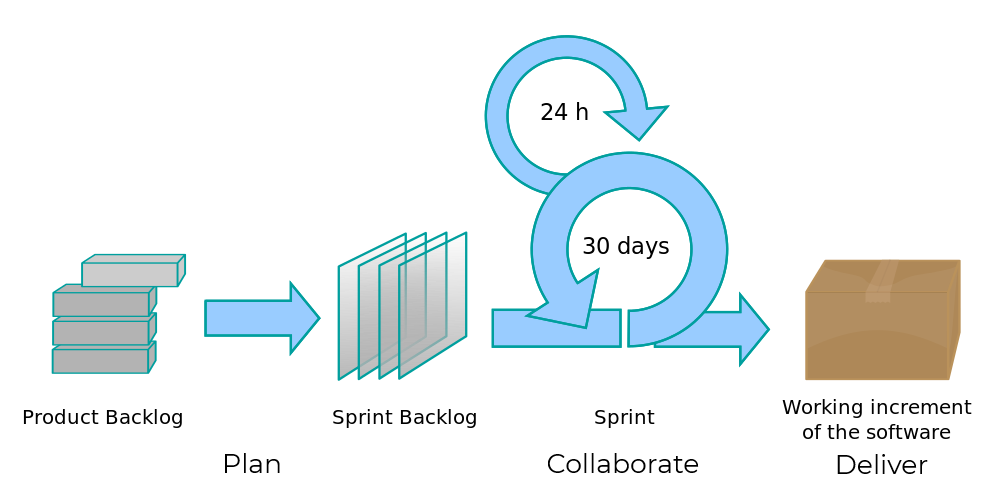
During sprint planning, discuss testing for each story: acceptance criteria, test data needed, which tests to automate, and who will test. Include test tasks in the sprint backlog and estimate them with the story.
Daily and story level
Test as soon as a story is ready rather than at the end of the sprint. Pair testers and developers, and fix defects while the work is fresh.
Retrospective
Review escaped defects and flaky tests, and adjust the plan.
Common challenges and fixes
| Challenge | What helps |
|---|---|
| Testing squeezed at the end of the sprint | Include test tasks in each story; test continuously; limit work in progress |
| Growing regression workload | Automate stable, critical flows and run them on every build |
| Changing requirements | Review the plan each sprint; plan risks, not every case |
| Unclear acceptance criteria | Agree criteria before development starts, with examples |
| Environment or data not ready | Treat environments and test data as sprint tasks |
One-page agile test plan checklist
- Scope, goals and what is out of scope
- Top five risks and how we address them
- Test levels and who covers each
- Automation plan and regression schedule
- Environments, data and accounts
- Roles and responsibilities
- Definition of done and exit criteria
- Reporting and review points
How CloudQA helps agile teams
CloudQA is a codeless test automation platform for web applications. Testers record key user journeys in the browser with the CloudQA Chrome extension, so automation can be added within the sprint instead of waiting for engineering time. Tests are edited visually and reused as modules, run in the CloudQA cloud on Chrome, Firefox and Edge, can run in parallel and on a schedule, and can be triggered from CI/CD through the CloudQA APIs. Runs are deterministic: recorded steps run exactly as written, with no AI in the execution path. If a step fails because its element cannot be found, CloudQA tries to locate the right element and reports the recovery for review. See the regression testing features, read about codeless testing, or start free.
Frequently Asked Questions
Do agile teams need a test plan?
Yes, but a lightweight one. A short, shared plan that covers scope, risks, test approach, automation, environments, roles and definition of done keeps the team aligned without slowing the sprint.
What is the difference between a test plan and a test strategy in agile?
A test strategy describes the general approach and principles across projects or a product, while a test plan applies it to a specific release or sprint with concrete scope, risks and responsibilities.
Who owns the test plan in an agile team?
The whole team shares it, usually led by a tester or QA engineer. Developers, testers and the product owner all contribute because quality is a team responsibility.
How often should an agile test plan be updated?
Review it at the start of each release and refine it every sprint, and whenever scope or risk changes significantly. It should be a living page, not a document written once.
How does automation fit into agile test planning?
Plan which stable, critical flows are automated, add new automated tests each sprint, and decide when the regression suite runs, for example on every build and nightly.
CloudQA
Automate your web tests without code
- Record tests in your browser
- Run them on every release
- Free plan, no credit card required
Recent articles


Popular guides